
AD SET
Active Directory sets
A small domain to break into and move through. For example a web server, a SQL server and a domain controller.
- Hosts
- Several
- Session
- 4 h, up to 8 h
Launch a private lab, connect from your own Kali and work it the way the exam is taken. Onyx, your AI mentor, helps as much as you choose, down to not at all.
Labs come with Practitioner at $49 a month, after a 7-day trial.
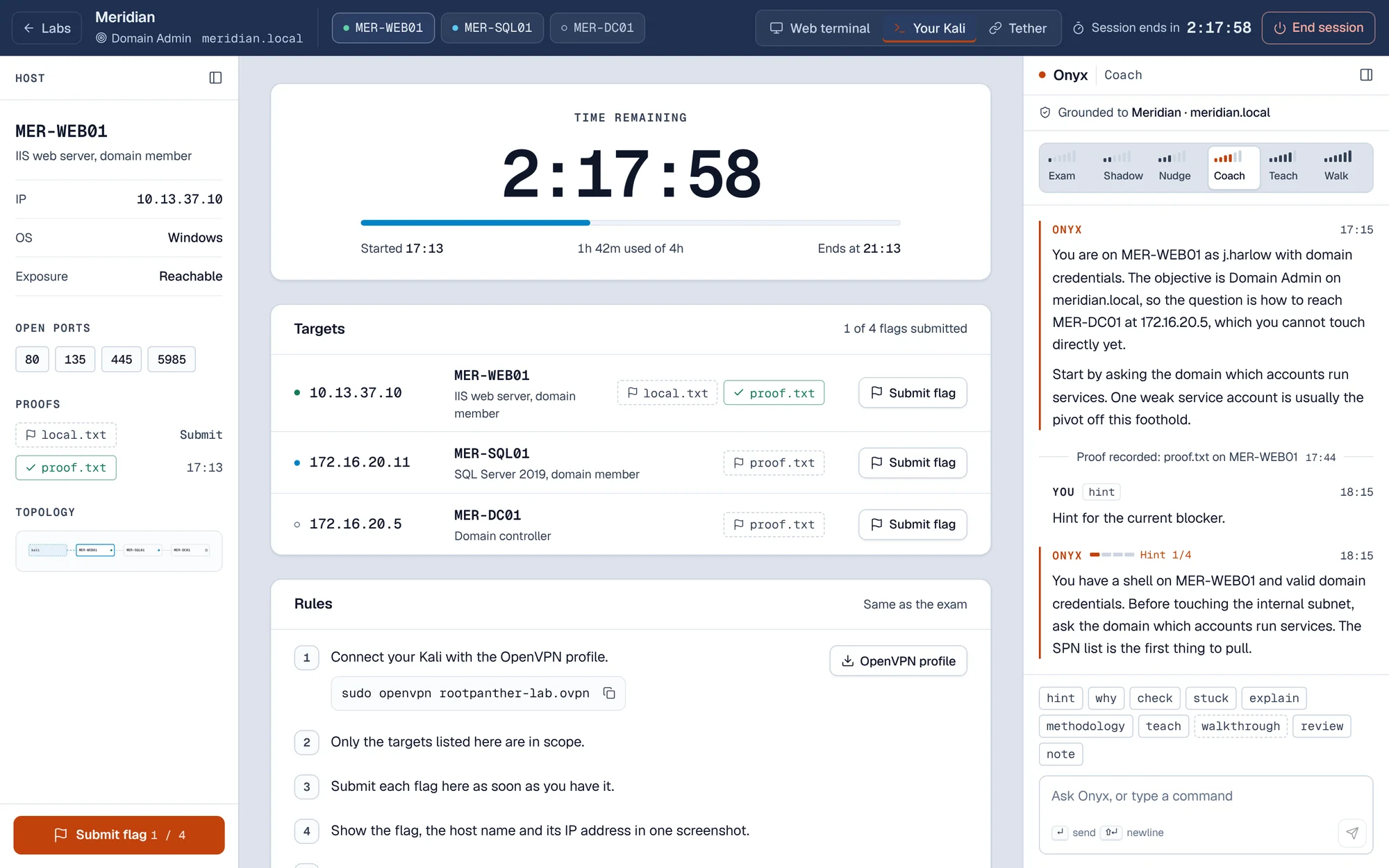
The lab workspace mid-run, with Onyx at Coach.
The same loop as the exam, with a mentor you control.
Start at C1 if OSCP-style work is new to you, or higher if standalone boxes are comfortable. My Path tracks what you finish.
Pick a scenario. Its machines start on a network that only your VPN can reach.
Connect your Kali over OpenVPN, find the hosts and break in. Onyx helps at the level you pick, or stays silent.
Submit each flag as you find it. When the lab ends, Onyx writes a debrief of what went well and what to drill next.
Three kinds of lab, each on machines that are yours for the session.
A small domain to break into and move through. For example a web server, a SQL server and a domain controller.
One machine. Enumerate it, find a way in and escalate to full control.
A full timed run, like the real exam. Onyx stays silent and the run is logged as clean.
New scenarios are added to the catalogue as they are finished. You see the full list when you sign in.
Six help levels, from silent to step by step. Every run records the level you used, so your progress reflects what you can do on your own.
Silent. Onyx does not answer for the whole run, and the run is logged as clean.
I have a shell on the web server as a domain user. The objective is Domain Admin. What next?
Onyx observes and answers only direct questions about methodology.
I have a shell on the web server as a domain user. The objective is Domain Admin. What next?
As a matter of method: after a foothold, enumerate the domain before you touch new hosts. I will not point at a specific account or machine at this level.
Short directional hints when you ask. No commands.
I have a shell on the web server as a domain user. The objective is Domain Admin. What next?
Look at the accounts that run services.
Hints escalate when you are stuck. Onyx explains why, not what.
I have a shell on the web server as a domain user. The objective is Domain Admin. What next?
You have valid domain credentials. Before you touch the internal subnet, ask the domain which accounts run services. One weak service account is usually the way off this foothold.
Explains techniques in depth, with references to the host you are on.
I have a shell on the web server as a domain user. The objective is Domain Admin. What next?
Service accounts in Active Directory are registered with service principal names. Any domain user, including the one you have, can request a ticket for one of those services, and part of that ticket is protected by the service account's password. If that password is weak, it can be recovered offline. That is Kerberoasting, and it is why service accounts are worth a look from a foothold like this.
Concrete commands for the current step. Onyx asks you to confirm first, and the run records it.
Onyx will give concrete commands for the current step. The change is recorded on this run and shown in your debrief. You can step back down at any time.
The lab gives you what the exam gives you, and nothing more. You discover the rest.
Its name, its IP and whether you can reach it from your VPN. The OS, role and open ports fill in as you discover them, and so does the network map.
Paste each flag against its host as you find it, and Rootpanther works out whether it is local.txt or proof.txt. The exam's screenshot rule stays in front of you, so your evidence is ready for the report.
A full timed run of up to 24 hours, like the real exam. Onyx says nothing, and the run is logged as clean.
Move up by finishing real work. For example, three C2 scenarios completed without the two highest help levels, plus one passed report.
New to OSCP-style work. Single hosts, enumeration and your first privilege escalations.
Comfortable on standalone boxes. Small AD sets, Kerberoasting and pivoting.
Working through AD chains. ACL abuse, delegation and multi-hop pivots.
Exam-ready. Forest trusts, certificate abuse and full timed simulations.
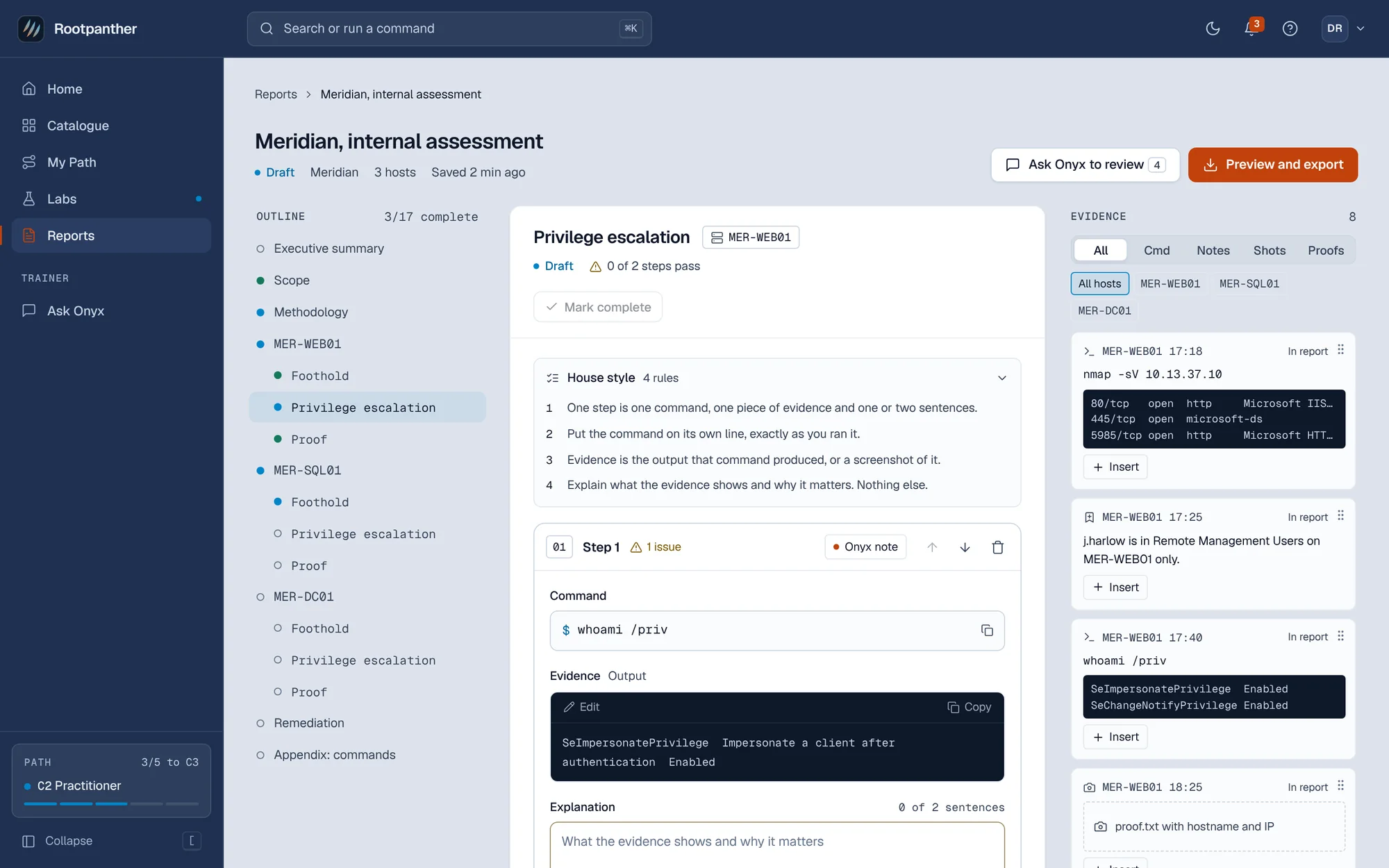
The exam is passed on the report as much as on the flags. Practise both.
You attack the lab. Nobody else does.
Each lab gets its own network. Only your VPN reaches it.
Never in plain text.
Authenticator app or recovery codes. Security changes need a fresh confirmation and send you an email.
On Microsoft Azure.
Start free. Labs come with Practitioner, or with Team for 3 seats or more.
Primers, drills and playbooks before you need a lab.
For OSCP candidates working through real labs.
For training leads buying 3 seats or more.
Something else? Email support@rootpanther.com.
No. Rootpanther is an independent practice platform. OSCP and OffSec are trademarks of OffSec Services LLC, and Rootpanther is not affiliated with or endorsed by OffSec.
Practice here builds the skills the exam tests. It does not promise a pass.
Yes, to connect over OpenVPN, the way the exam works. Download your profile from the lab and run sudo openvpn rootpanther-lab.ovpn.
Paid plans will also get a Kali terminal in the browser, for when you are away from your own machine. Coming soon
You can buy extra hours (10 extra hours for $15) or wait until your hours reset on your billing date. A session that is already running carries on to its end, so you are never cut off mid-attack. Unused monthly hours do not carry over.
Cancel any time from Billing. You keep access until the end of the period you paid for, and your notes, flags, progress and reports stay on your account. You can also pause billing for 1 to 3 months.
Only at Walkthrough, and only after you confirm. Every run records the help level you used, so your progress shows what you did on your own. Onyx never hands out flags, and it is silent during exam simulations.
Your lab activity and Onyx conversations are not used to train AI models. Onyx runs on models from Anthropic, listed on our subprocessors page.
Primers, drills and Onyx cost nothing. Start the 7-day trial when you want your first lab.
Highlighted values need confirming before launch. Hover one to see what. This panel is for review and is not part of the site.